Accessing Your Protected PDF
Open the protected PDF on the main device where you want to access it. Otherwise, you will not be able to open it on subsequent devices. You can download this protected PDF on 4 devices for use by the same individual.
Check your Downloads folder to locate the protected PDF.
There are two changes to be aware of:
1. The protected PDF will only open on your PC or Mac using one of the following:
- Adobe Acrobat Reader DC
- Adobe Acrobat Pro
- PDF-XChange Editor
You can download a free copy of Adobe here: https://get.adobe.com/reader/
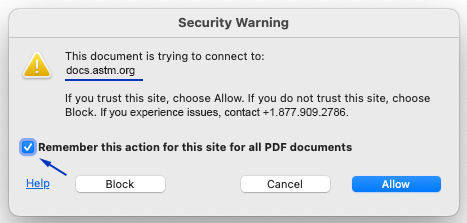
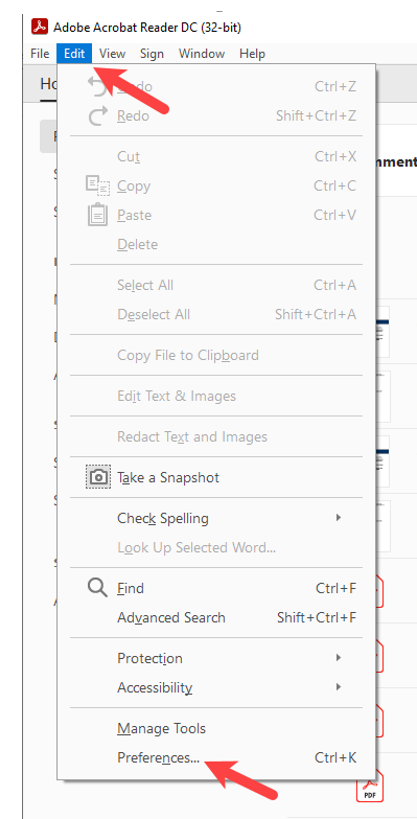
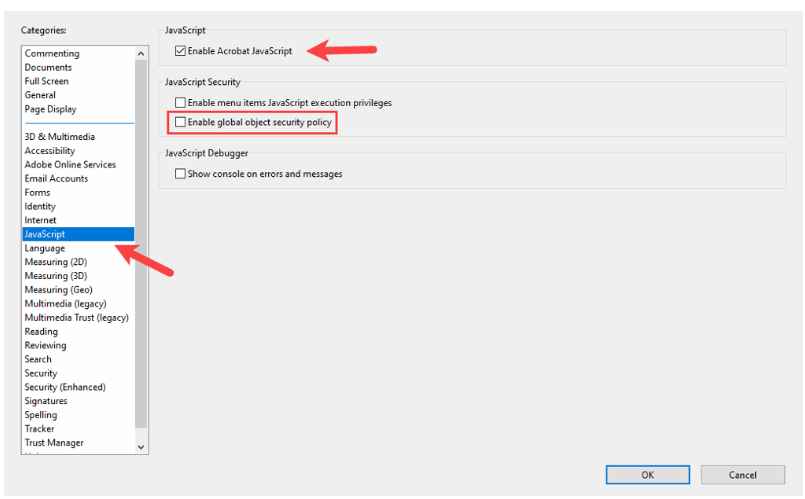
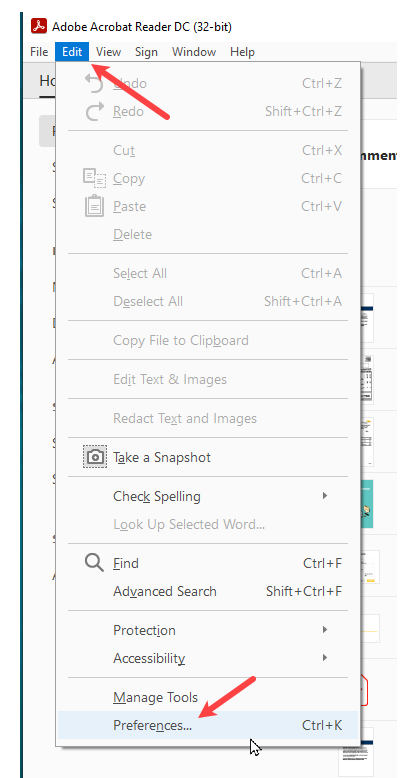
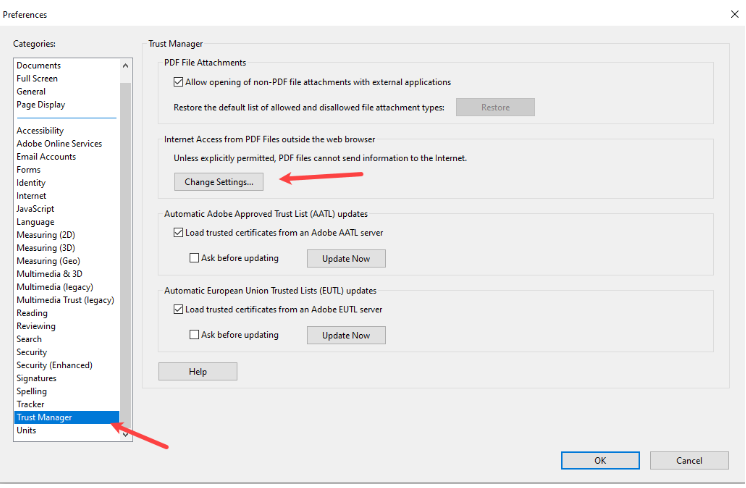
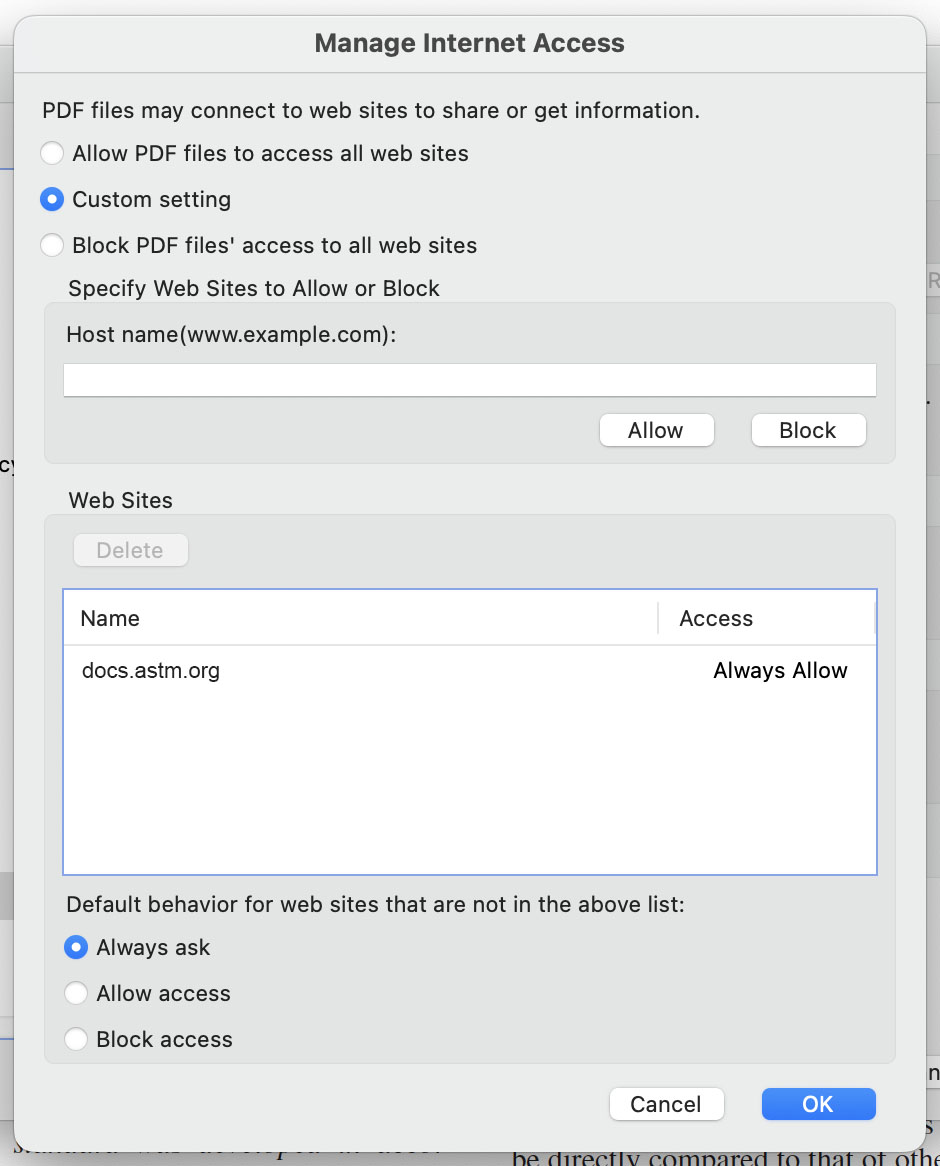
2. Before you open the protected PDF for the second time, you will need to change the settings of these PDF readers to view your PDF. (For many users, once you change your settings, you will not need to change them again to view protected PDFs.
On a PC
Open with Adobe Acrobat Reader DC or Adobe Acrobat Pro or PDF-XChange Editor:
Right-click the file> select "Open With"> choose Adobe Acrobat Reader DC or Adobe Acrobat Pro or PDF XChange Editor.
On a Mac
Click File > Get Info> choose Adobe Acrobat Reader DC or Adobe Acrobat Pro or PDF-XChange Editor as the application> click Open.